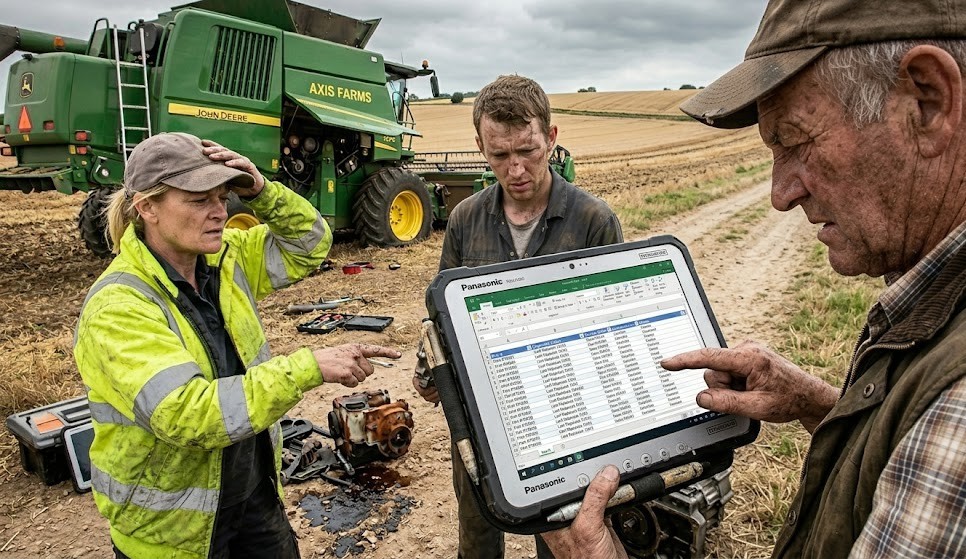
Excel was built for accountants, not for operations managers tracking 400 pieces of equipment across 80 acres of growing space.
Commercial greenhouse and farm operations are not simpler than industrial facilities. They are different kinds of complex. You have HVAC systems controlling microenvironments across multiple growing zones. Irrigation infrastructure running on automated schedules. Harvesters and transplanting equipment with seasonal demand spikes that stress mechanical components hard. Pesticide application records that need to tie to specific crops, dates, applicators, and weather conditions for food safety compliance. And all of it tracked, in most operations, in a spreadsheet that one person built several years ago and that nobody fully understands anymore.
The Excel system works until the spreadsheet creator leaves. However, problems also emerge when a food safety auditor or USDA program requests records that teams cannot retrieve in the required format. Worse, critical irrigation equipment may fail because no one noticed its service interval in an overlooked tab.
This article covers how commercial agricultural operations are using digital inspection and asset management software to replace fragile Excel systems with something that scales, holds up under audit, and actually prevents equipment downtime.
The Five Tracking Problems Excel Creates in Agriculture Operations
Excel is not a bad tool. It is the wrong tool for this job. Here is where it consistently breaks down in greenhouse and farm operations:
- No version control: When multiple people update the same spreadsheet, data gets overwritten, inconsistencies multiply, and no one knows which version is the source of truth.
- No mobile access in the field: Inspectors doing equipment rounds cannot update a spreadsheet from a tractor cab or a greenhouse aisle. The data gets written on paper and transferred later, if it gets transferred at all.
- No automated alerts: Excel does not tell you when a service interval is coming due. Someone has to go looking for that information, and in a busy operational environment, that often does not happen until after the deadline.
- No photo documentation: A spreadsheet cell that says “minor corrosion on irrigation manifold” tells you almost nothing. A photo taken at the time of inspection tells you exactly what was observed.
- No audit trail: Excel files can be edited without any record of what changed, when, or by whom. That is a significant problem when a food safety auditor asks for inspection records and needs to verify their integrity.
What a Digital Agriculture Inspection System Does Differently
Equipment Inspection and Maintenance Tracking
Every piece of equipment in a greenhouse or farm operation, HVAC units, irrigation pumps, fertigation systems, harvesters, forklifts, cold storage units, gets its own record in the system. Each record tracks the equipment’s inspection history, service intervals, identified defects, and completed repairs. When a service interval comes due, the system sends an alert to the responsible person automatically.
Field Eagle’s asset maintenance software and asset management platform are built around this logic: every asset has a history, every history is searchable, and nothing falls through the cracks because the system tracks it actively rather than waiting for someone to check a spreadsheet.
Preventive Maintenance Scheduling
Seasonal agricultural operations put intense, concentrated stress on equipment during peak periods. A transplanting machine that runs 16 hours a day for six weeks needs a different maintenance cadence than the same machine sitting idle for four months. Digital maintenance scheduling adapts to actual usage patterns, not just calendar intervals.
The preventive maintenance tools in Field Eagle allow maintenance schedules to be configured by usage hours, calendar intervals, or both, so high-demand season equipment gets the attention it needs without over-maintaining equipment that is not running.
Pest and Disease Observation Logging
This is one of the most underserved functions in agricultural operations software. When a scout or grower observes signs of disease pressure or pest activity in a crop zone, that observation needs to be logged with the location, crop, growth stage, severity, and any action taken. On paper or in Excel, these observations are difficult to track over time, impossible to visualize spatially, and hard to correlate with treatment outcomes.
With digital inspection forms, each observation is logged with GPS coordinates, photos, and structured data fields. Over time, the system builds a queryable history of pest and disease pressure by zone, crop, and season, which makes treatment decisions smarter and audit documentation complete.
Pesticide and Chemical Application Records
Food safety audits, organic certification reviews, and USDA program compliance all require detailed pesticide application records: applicator identity, product name and EPA registration number, application rate, target crop, application date, weather conditions, pre-harvest interval, and re-entry interval compliance.
Building these records in a digital inspection platform means they are structured, searchable, and complete by design. The form will not let an applicator submit without the required fields. The record is timestamped. The data is retrievable in any format the auditor needs.
Audit-Ready Compliance Reports
When a food safety certification auditor, organic certifier, or USDA program reviewer requests documentation, the operations manager pulls a formatted compliance report filtered by crop, date range, input type, or equipment category. The report includes the inspection data, the photos, and the corrective actions. No reconstructing records from memory, no hoping the right spreadsheet version is the current one.
CASE STUDY
5 Signs Your Greenhouse Operation Has Outgrown Excel Tracking
This is not a traditional case study. It is a diagnostic. If more than two of these apply to your operation, you are running a business risk that scales with your operation, not against it.
1. Equipment fails during peak season because a service interval was missed, and the missed interval was not in the system, it was in someone’s head.
2. When an auditor asks for pesticide application records from a specific date range, someone spends hours searching through spreadsheet tabs and paper binders to reconstruct them.
3. Your Excel tracking file has not been updated in more than two weeks because the person who manages it has been busy, and no one else knows how it works.
4. You have had a food safety finding related to incomplete documentation rather than an actual product safety issue.
5. You are expanding growing capacity or adding a second location, and your current system has no way to scale to that without rebuilding it from scratch.
If any of these sound familiar, the problem is not discipline or attention to detail. It is that the tool you are using was not designed for what you are asking it to do.
What to Look for in Agriculture Inspection Software
- Mobile-first field access: Inspectors and scouts need to log observations from the field, not at a desk after the fact.
- Photo and GPS documentation: Observations need location context and visual evidence to be meaningful over time.
- Configurable inspection templates: Equipment inspections, crop health scouts, and pesticide records all have different data requirements. The platform should handle all of them.
- Preventive maintenance scheduling: Usage-based and calendar-based scheduling for equipment across the operation.
- Audit-ready reporting: Reports filterable by crop, zone, input, date, and inspector, exportable in formats regulators and certifiers accept.
- Asset history by equipment unit: Every piece of equipment should have a traceable history of inspections, defects, and repairs.
Frequently Asked Questions
Requirements depend on your sales channels and certifications. FSMA requires produce operations to keep food safety records for at least two years. In addition, organic certification requires input, pesticide application, equipment cleaning, and field records. USDA programs and audit schemes such as SQF, Global G.A.P., and PrimusGFS may impose further requirements.
Yes. Configurable forms can capture product names, approval status, application rates, and field identifiers at the point of application. As a result, teams avoid reconstructing records before certification reviews.
A CMMS primarily manages equipment maintenance. In contrast, Field Eagle also manages field inspections, pest and disease observations, chemical applications, and audit reports. Therefore, one platform can support both maintenance and compliance.
Teams can schedule inspections and maintenance around operating periods instead of fixed calendar intervals. For example, Field Eagle can activate schedules when equipment enters service and pause them during idle periods.
Most operations begin live inspections within a few weeks. Meanwhile, teams can migrate historical data or archive older Excel files while using the new platform for current inspections.