Update cookies preferences

Workplace Safety Inspection Software

Standardize workplace inspections, document safety observations and incidents, maintain OSHA-ready records, and track corrective actions across every location.

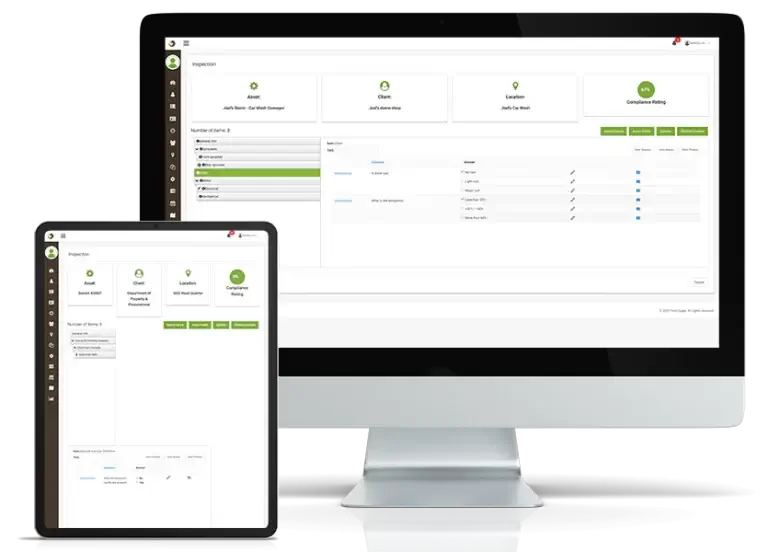
Field Eagle workplace safety inspection software helps health and safety teams replace inconsistent paper records with structured digital workflows. Teams can complete workplace inspections, document observations and incidents, collect supporting evidence, assign corrective actions, and monitor safety performance across multiple locations.

What Is Workplace Safety Inspection Software?

Workplace safety inspection software is a digital system for conducting, documenting, and tracking workplace inspections. It allows health and safety teams to create standardized checklists, record hazards and observations, attach photos and notes, document responsible personnel, and maintain a traceable history of each inspection.

Unlike a basic checklist app, workplace safety inspection software connects each finding to follow-up activity. Identified issues can be assigned to an owner, given a due date, monitored for completion, and verified before closure. Managers can then review recurring hazards, overdue actions, and workplace safety performance across locations.

Inspector with Tablet

Standardize Workplace Safety Inspections

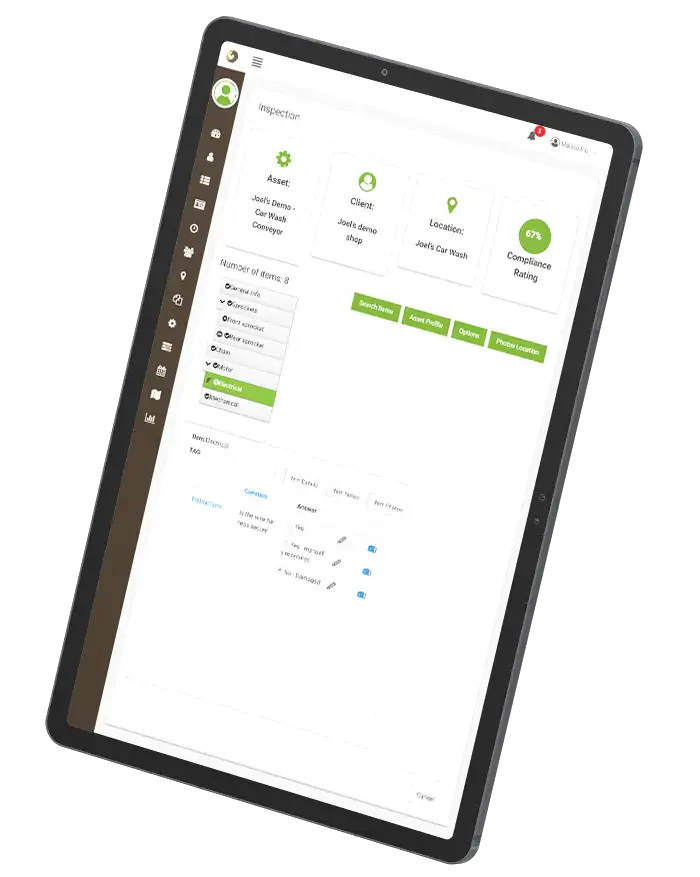
Create standardized workplace inspection requirements for every facility, department, or program. Health and safety teams can configure required questions, pass-and-fail criteria, photo evidence, notes, signatures, scoring, and conditional follow-up actions.

Standardized inspections help every inspector evaluate the same requirements consistently. Completed records are submitted to one centralized system, giving managers current visibility without waiting for paper forms or manually combining spreadsheets.

Digital Inspection Forms and Checklist Templates
fe dashboard on tablet, vertical

Create Workplace Safety Checklists for Every Location

Build workplace safety checklists for facility walkthroughs, housekeeping, personal protective equipment, emergency equipment, fire safety, ergonomics, hazardous materials, contractor safety, and other organization-specific requirements.

Templates can be adjusted for different locations and departments while preserving company-wide standards. Required fields ensure inspectors capture complete information, while conditional questions display additional requirements when a response identifies a potential safety issue.

Maintain OSHA-Ready Workplace Inspection Records

Field Eagle creates traceable workplace inspection records containing timestamps, inspector details, responses, photos, notes, signatures, findings, and corrective-action history. Health and safety teams can retrieve this evidence when preparing OSHA documentation, completing internal audits, or reviewing recurring hazards.

location

Site-Specific Inspection Records

Inspections and audits can be sent back to the head office instantaneously. Through the use of dedicated tablets and smartphones, a single click is all that is needed to submit information. Specific sites are visible to managers at any time. This digital generation of reports also reduces costs and improves the quality of data. This ensures a faster inspection; hence defects are addressed in time.

no clipboard

Paperless Safety Documentation

Writing data on papers is prone to errors and incomplete statements. It is easy to miss information when transferring data from paper to digital format. They also take longer to compile hence are subject to disjointing of data. Such inaccuracies are less likely when using mobile devices.

safety vest

Required Evidence and Sign-Off

Mobile inspection devices have predefined standards. It is possible to instantaneously measure collected data against the standards when it is gathered. This makes it easier to pick out the non-compliant items right on site. Mobile inspection devices are also equipped to determine the weightings of items. This lets an inspector make a decision about the severity or criticality of a defect.

server cloud

Safety Observations and Incident Follow-Up

Document workplace safety observations, near misses, incidents, photos, notes, affected locations, and responsible personnel. Follow-up activity remains connected to the original record so health and safety teams can review what happened and what action was taken.

mining truck

Corrective Action Accountability

Mobile inspection devices keep maintenance histories making it easier to track assets. Mobile access also makes it easier to take corrective measures.

safety guy

COR and OSHA Checklist Templates

If you need to be COR and OSHA compliant, Field Eagle comes with these form templates ready to use.

Track Workplace Safety Findings and Corrective Actions

When an inspection, observation, or incident identifies a workplace safety issue, Field Eagle creates a traceable follow-up record. Assign the corrective action to an owner, set its priority and due date, attach supporting evidence, and monitor its progress from identification through verified closure.

Managers can see which actions are open, overdue, awaiting verification, or complete across every location. Automated reminders help prevent unresolved hazards from disappearing into email threads, paper files, or disconnected spreadsheets.

Health and Safety Site engineer
Health and Safety inspector

Compare Workplace Safety Performance Across Locations

Centralized workplace safety records allow managers to compare inspection completion, recurring hazards, corrective-action backlogs, and safety performance across facilities, departments, and reporting periods.

Dashboards and reports help health and safety teams identify patterns that may not be visible in individual inspections. Managers can determine which hazards recur most often, which locations require additional attention, and whether corrective actions are being completed on time.

FAQs

Workplace safety inspection software helps organizations conduct workplace inspections, document hazards and observations, maintain supporting evidence, assign corrective actions, and monitor safety performance across locations from one centralized system.

Field Eagle maintains timestamped inspection responses, photos, notes, signatures, findings, responsible personnel, and corrective-action history. These records help health and safety teams retrieve organized evidence for OSHA documentation, internal reviews, and regulatory inspections.

Yes. Managers can standardize inspection requirements, assign inspections, monitor completion, compare findings, and track corrective actions across multiple facilities from one centralized dashboard.

Yes. Teams can record safety observations, near misses, incidents, photos, notes, affected locations, and follow-up requirements. Each record remains connected to its corrective actions and completion evidence.

Corrective actions can be assigned to an owner with a priority and due date. Managers can monitor whether each action is open, overdue, awaiting verification, or complete, creating a traceable record from the original finding through verified closure.

Request a Free Demo

Call Us

Call or Fill out the Form

or Fill out the Form

Request a Demo


Request a Feature

Request a Feature

Contact Us


We take your privacy seriously and will never share your information.

Contact Us


We take your privacy seriously and will never share your information.

Request a Demo


We take your privacy seriously and will never share your information.

Podcast