
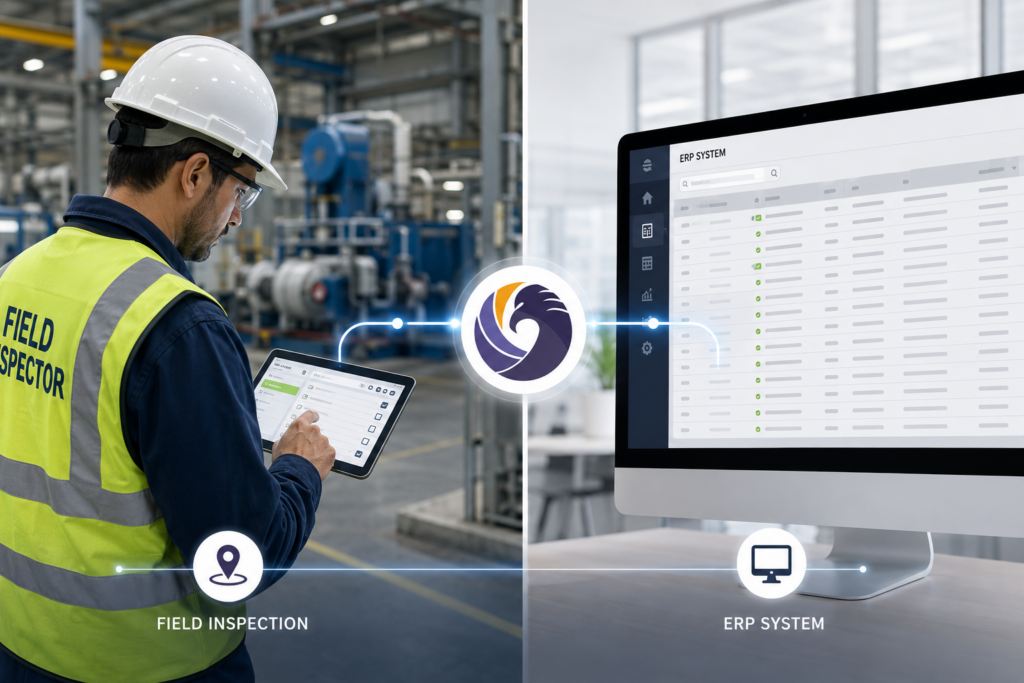
Your inspectors are collecting data in the field. Your ERP is running the business. The gap between those two systems is costing you more than you think.
Here is a scenario that plays out in industrial and service organizations every week. A field inspector completes a site inspection and logs 14 findings in the inspection platform. Back at the office, someone reads through those findings and manually creates work orders in SAP. Someone else pulls the relevant asset records. A third person updates the client record in Salesforce. A fourth person eventually invoices for the work in QuickBooks. Every step in that chain is a manual data transfer, and every manual transfer is an opportunity for delay, error, or information loss.
The inspection data and the business systems are not talking to each other. They are being translated by people doing copy-paste work between applications, and those people have other things to do.
This article covers the most common integration patterns between inspection software and major ERP, CRM, and accounting platforms, explains when integration is worth the investment, and includes a practical checklist of signs that you need it.
Why Inspection-ERP Integration Matters More Than Most Teams Realize
Industrial organizations tend to think of inspection software and ERP systems as separate categories: one is a field tool, the other runs the business. That framing misses the point.
Inspection data is business data. A defect logged on a pipeline segment is a maintenance work order waiting to happen. An equipment failure found during a routine inspection is an asset replacement or repair that needs to flow into capital planning. A compliance finding from a safety audit is a corrective action that needs to be tracked, completed, and billed if it involves third-party remediation.
When that data has to be manually re-entered from one system into another, organizations get the worst of both worlds: delayed action on field findings, and administrative overhead that scales with inspection volume. The larger the operation, the more painful the gap.
See how Field Eagle handles inspection data management and asset-level record keeping as the foundation for effective integration.
5 Signs You Need Inspection-ERP Integration
Before getting into how integration works, here is a practical checklist. If more than two of these are true for your organization, manual data transfer is already a significant operational drag:
- Your inspectors complete reports in the field, but work orders in your ERP are created hours or days later by someone who was not on site.
- You have had billing errors or delays because inspection findings were not communicated to the invoicing team accurately or on time.
- Asset records in your maintenance system do not match the inspection history in your inspection platform because they are updated separately.
- Your Salesforce client records do not reflect the most recent inspection outcomes, so account managers are going into client conversations with outdated information.
- Finance cannot pull a consistent view of inspection-related costs because the data lives in the inspection platform and the accounting system without a connection between them.
Common Integration Patterns by System
Inspection Software and Salesforce
Salesforce is the most common CRM in enterprise and mid-market industrial organizations, and it is also one of the most flexible integration targets for inspection data. The most useful pattern is syncing inspection outcomes to Salesforce as service records or activity logs associated with the relevant account and asset.
When an inspection is completed in Field Eagle, the summary, including findings, corrective actions, and status, flows into Salesforce automatically. Account managers see the most recent inspection outcome without logging into a separate system. If the inspection resulted in a follow-up service recommendation, that recommendation can trigger a Salesforce opportunity or task automatically, so nothing sits in the inspection system waiting for someone to manually communicate it to sales.
This integration pattern works particularly well for service companies in oil and gas, utilities, and construction that use Salesforce to manage client relationships alongside a field inspection program.
Inspection Software and SAP
SAP integrations are typically more complex than CRM integrations because SAP is doing more: maintenance planning, asset management, procurement, and financial reporting all touch inspection data in different ways. The most common integration pattern is pushing inspection findings into SAP Plant Maintenance (PM) as notifications or maintenance orders.
When a defect is identified during a Field Eagle inspection, the integration creates a PM notification in SAP automatically, with the asset ID, finding description, priority, and location. SAP handles the maintenance workflow, scheduling, and cost capture from there. Inspection staff do not need SAP access, and maintenance planners do not need to manually transfer findings from the inspection report.
For organizations using SAP for asset management, inspection history can also be synced to the equipment master record so maintenance planners see the full inspection history alongside the maintenance history without switching systems.
Inspection Software and Oracle
Oracle integrations follow a similar pattern to SAP, typically centered on maintenance work order creation and asset record updates. Oracle EAM (Enterprise Asset Management) is the most common integration target, and the data flow mirrors the SAP PM pattern: inspection findings trigger work orders, and asset inspection histories sync to the equipment record.
For organizations using Oracle Financials, there is also a useful integration pattern around inspection-to-invoice workflows, particularly for service companies where inspection findings drive billable work. When a finding is logged and a corrective action is assigned to a client-facing work order, that work order flows into Oracle for billing without a separate manual entry.
Inspection Software and QuickBooks
QuickBooks integrations are more common in mid-market organizations and service companies that need inspection-to-invoice traceability without enterprise ERP complexity. The most straightforward pattern is exporting billable work orders from the inspection platform into QuickBooks as invoices or line items on existing invoices.
For inspection firms that bill by inspection, by finding, or by corrective action, this integration eliminates the manual step of transcribing inspection report line items into an invoice. The inspection system generates the billable activity record, and the integration pushes it into QuickBooks with the relevant client, service code, and amount.
Middleware and API-Based Integration Approaches
Not every organization can build direct point-to-point integrations between systems. Middleware platforms like Pentaho, Azure Data Factory, MuleSoft, and Boomi sit between inspection software and ERP systems, handling data transformation, scheduling, and error management so the individual systems do not need to speak directly to each other.
This approach is particularly useful for organizations with multiple ERP systems (common in acquisitive industrial companies), legacy systems that do not have modern APIs, or complex data transformation requirements where the structure of inspection data does not map cleanly to the ERP’s data model.
Field Eagle supports API-based data export that enables integration with any middleware platform or directly with ERP systems that have API endpoints. Talk to the Field Eagle team about your specific integration requirements.
CASE STUDY
How an Oil and Gas Services Company Eliminated Manual Data Transfer Between Field Eagle and SAP
A mid-size oilfield services company was running equipment inspections in Field Eagle and maintenance planning in SAP PM. After every inspection cycle, a coordinator spent two to three days manually reviewing inspection reports and creating SAP PM notifications for each finding that required follow-up maintenance.
The company used Azure Data Factory as middleware to build an API integration between Field Eagle and SAP. When an inspector flags a finding above a defined severity threshold in Field Eagle, the integration automatically creates an SAP PM notification. It also maps the equipment ID, finding description, and priority to the SAP PM structure.
As a result, automated data flow eliminated the coordinator’s two-to-three-day manual process. The SAP maintenance planning team now sees findings within minutes after inspectors submit them. In addition, the company reported fewer missed corrective actions because the integration removed a manual review step that competing priorities could delay.
What to Evaluate Before Building an Integration
Integration projects are worth doing but they require planning. Here is what to clarify before starting:
- Data ownership and directionality: Which system is the source of truth for each data type? Inspection findings should originate in the inspection platform. Asset master records may originate in the ERP. Being clear about directionality prevents conflicts.
- Trigger logic: What inspection event triggers an ERP action? Every finding? Only findings above a severity threshold? Completed inspections only? Defining trigger logic upfront prevents data flooding the ERP with low-priority items.
- Field mapping: The data structure in Field Eagle does not always map cleanly to the data structure in SAP or Oracle. Documenting the mapping before building the integration saves significant rework later.
- Error handling: What happens when a sync fails? Who gets notified? How are duplicates prevented if a record is sent twice? The integration needs error handling logic, not just a happy path.
- API access and authentication: Confirm that both systems support the API access your integration approach requires.
Frequently Asked Questions
Yes. Field Eagle supports API-based exports for Salesforce integration through middleware or a direct connection. However, the best approach depends on your Salesforce configuration and data requirements.
Complexity depends on SAP configuration and data transformation needs. For example, creating PM notifications from findings is relatively straightforward. However, asset synchronization, multi-plant environments, and complex transformations require more planning. Most organizations complete an initial integration within six to twelve weeks.
Yes. Field Eagle can export completed inspections or billable work orders through an API, middleware, or mapped CSV file. For recurring billing, teams can also schedule automated exports.
Azure Data Factory moves and transforms data between systems with different structures and APIs. Specifically, it can map Field Eagle findings to SAP PM notifications, schedule transfers, manage errors, and retry failed records.
First, the integration alerts the administrator and queues the record for another attempt. Meanwhile, Field Eagle retains the original inspection data. Therefore, the ERP record waits for a successful sync, but no inspection data disappears.
No. Mid-market organizations often benefit significantly because they face substantial manual data-transfer work without dedicated integration teams. In particular, QuickBooks and Salesforce integrations remain accessible without enterprise-level IT resources.
