
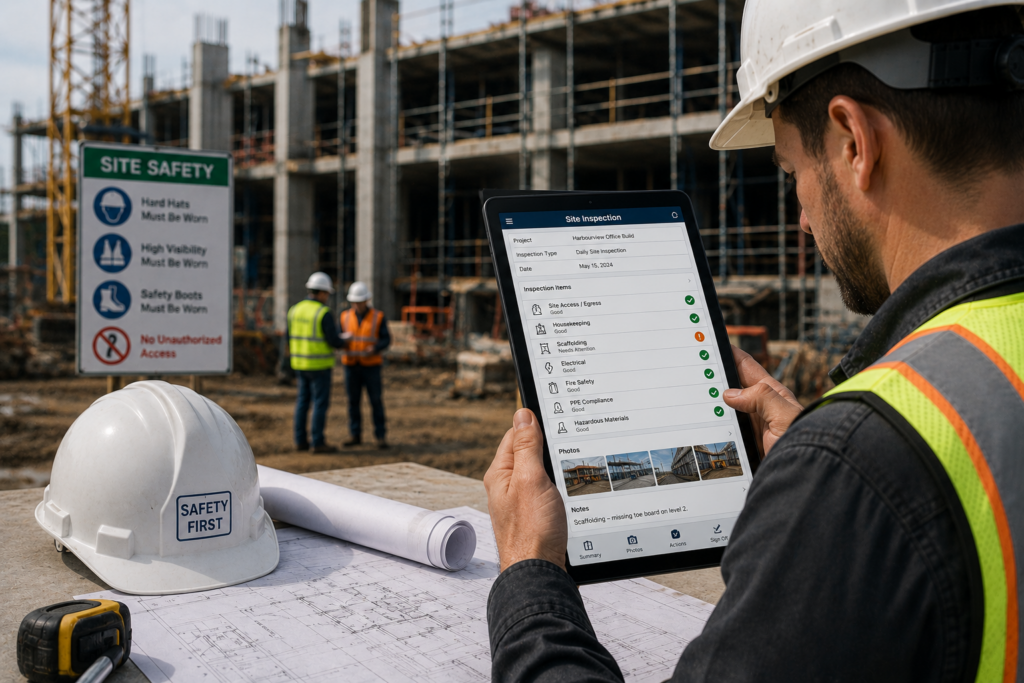
Construction site inspection software has moved from a nice-to-have to an operational requirement for most serious construction companies. Regulatory scrutiny on site safety has increased. Owner requirements for documented inspection programs have become more specific. And the operational cost of missed inspections, unresolved defects, and poor compliance documentation has become too high to manage with paper forms and spreadsheets.
But the market for construction inspection software is crowded and the differences between options matter significantly. Here is a practical guide to evaluating construction site inspection software for companies that need it to work on real job sites, not just in a product demo.
What Construction Site Inspection Software Needs to Do
Before evaluating specific options, define what your construction operation actually needs. Construction inspection software in a context where inspections happen on active job sites has different requirements than software designed for office-based audit management.
Works on a Tablet in the Field
Construction inspections happen on site, not at desks. The software needs to run on a tablet or similar device with a screen large enough for effective form completion and photo documentation, rugged enough for site environments, and an interface that works with work gloves on.
Functions Offline
Construction sites, especially those in remote locations or in early development phases, often have unreliable or nonexistent internet connectivity. Software that requires connectivity to complete or submit inspections is not suitable for field use. Look for offline capability that allows full inspection completion and syncs data automatically when connectivity is available.
Handles Multiple Inspection Types
Construction operations need software that handles safety inspections, equipment pre-use checks, quality inspections, environmental compliance reviews, and potentially subcontractor performance reviews within the same platform. Managing multiple inspection types in different systems creates administrative overhead and data fragmentation.
Supports Multiple Sites and Teams
Construction companies with multiple active projects need visibility into inspection status across all sites from one place. Inspection tracking across sites, combined with the ability to standardize inspection processes company-wide while allowing site-specific customization, is a core requirement.
Key Features to Evaluate
Inspection Template Builder
The ability to build customized inspection checklists for different inspection types is essential. Look for template builders that support: hierarchical item structures for complex inspections, custom answer options including pass/fail and criticality scales, required photo documentation at specific inspection points, conditional logic that adapts the checklist based on responses, and bulk editing for efficiency when building large templates. Prebuilt inspection templates for common construction inspection types are a bonus.
Corrective Action Management
Construction inspections generate corrective actions. The software needs to create those actions automatically from inspection findings, assign them to specific people with due dates, track resolution status, and allow managers to see the full corrective action backlog across sites. Corrective action management that leaves findings untracked undermines the inspection program’s purpose.
Compliance Documentation
Construction companies need to demonstrate OSHA and IHSA compliance through documented inspection records. The software should generate inspection reports that meet regulatory documentation requirements, store records with timestamps and inspector identification, and allow records to be retrieved quickly for regulatory reviews or audits.
Equipment and Asset Tracking
Construction operations manage significant equipment fleets. Software that connects equipment inspection records to specific equipment assets, tracks maintenance history, and follows assets as they move between project sites provides significantly more operational value than software that treats each inspection as an isolated event.
Inspector Performance Dashboard
Supervisors need visibility into inspection completion rates, overdue inspections, and inspector performance across sites without manual data compilation. A real-time dashboard that shows all of this at a glance is a meaningful operational tool, not just a reporting feature.
Questions to Ask Before Buying
Does it work offline on your sites?
Do not take this on faith. Ask for a demonstration of offline functionality on the specific devices your team will use. Request details on how data is stored locally during offline operation and how conflicts are handled when multiple inspectors are working offline simultaneously on the same inspection.
How customizable are the checklists?
Ask to build a sample inspection template for one of your most complex inspection types during the evaluation. Generic template builders that work well for simple checklists often fall short for complex hierarchical inspection structures. Test the limits of the template builder on your actual requirements, not the vendor’s demo checklist.
How does corrective action tracking work?
Walk through the full corrective action lifecycle from a finding identified during an inspection to verified resolution. How are actions assigned? Who gets notified? How does the manager see overdue items? What happens when an action is completed and needs verification?
What does implementation and training look like?
Implementation quality varies enormously between inspection software vendors. Ask specifically about template configuration support, inspector training programs, and ongoing support availability. Software that requires significant internal technical resource to implement creates adoption risk.
What does the pricing model include?
Inspection software pricing models vary significantly. Per-user, per-inspection, per-site, and flat license models all have different implications for your total cost of ownership depending on your operation’s size and inspection volume. Understand exactly what is included before comparing headline prices.
Red Flags to Watch For
- Software that requires connectivity to complete or submit inspections
- Template builders that cannot handle hierarchical inspection structures
- No ability to track corrective actions from finding through to verified resolution
- Report generation that requires manual data compilation rather than automatic generation
- No real-time visibility into inspection completion status across sites
- Implementation support limited to written documentation
Frequently Asked Questions
Offline functionality is critical for construction operations because remote and developing sites often have unreliable connectivity. Therefore, suitable software must let teams complete and store inspections without internet access, regardless of its other features.
Construction inspection software supports OSHA compliance by enforcing required checklist items and creating timestamped, signed records. In addition, it tracks violations through verified resolution and makes inspection records immediately available during OSHA reviews or investigations.
Yes. Effective construction inspection software manages site safety, equipment, quality, environmental, and subcontractor inspections in one platform. As a result, teams reduce administrative work and gain a complete view of compliance performance.
Implementation time depends on the vendor and operational complexity. For example, small teams using prebuilt templates may launch within a week, while complex multi-site integrations may take four to eight weeks. Moreover, hands-on vendor support usually improves adoption speed and success.
Most construction inspection software runs on standard tablets or smartphones. However, teams often prefer tablets because larger screens improve checklist completion, photo review, and annotation. Moreover, rugged tablets provide greater durability, although standard commercial models also work well on many construction sites.
Construction inspection software assigns inspections or zones to individual inspectors to prevent duplication. In addition, it tracks each inspector’s progress and assigns corrective actions to specific people. Some platforms also let several inspectors complete different sections of one large inspection simultaneously.
