
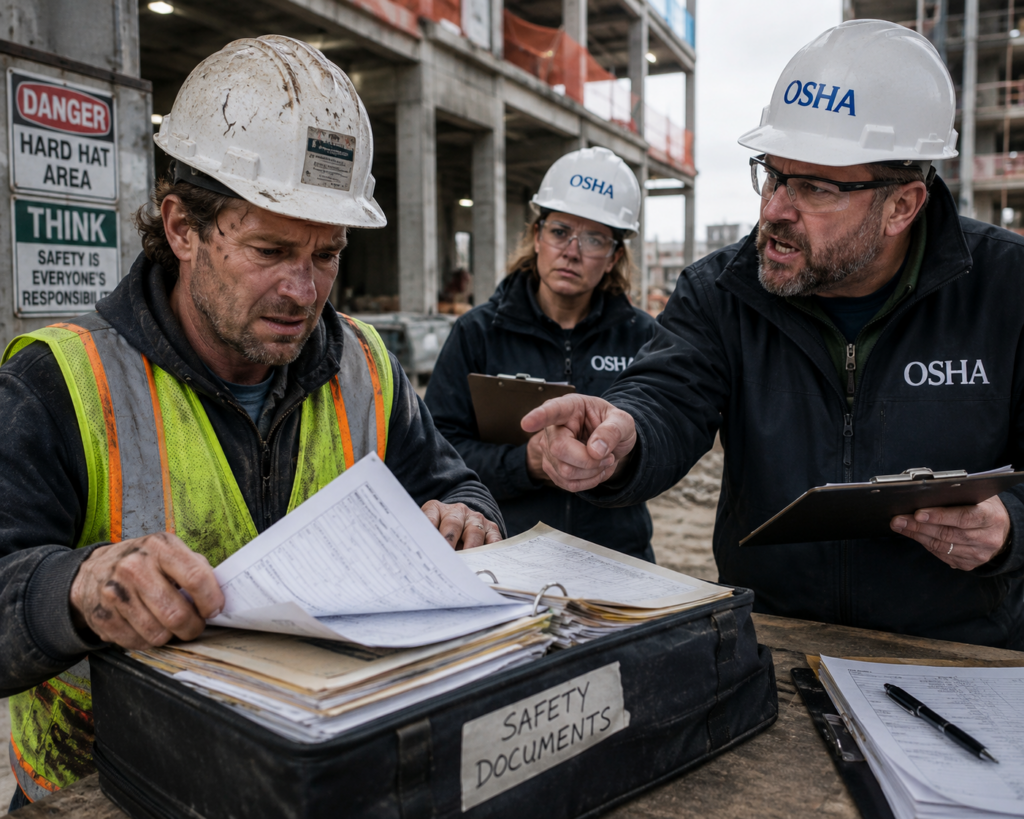
Your crews are filling out JHA forms every morning. But if those forms are on paper, they are not protecting you, they are just paper.
Walk any active construction site before 7 AM and you will find the same ritual playing out. A foreperson grabs a clipboard, walks the crew through the morning JHA, everyone signs the bottom, and the form goes into a box or a folder or a truck cab. That box, if it survives the day, eventually makes its way to an office where someone manually files it. If OSHA shows up six months later and asks for documentation of a specific hazard on a specific date, good luck finding it.
This is not a discipline problem. Construction teams take safety seriously. It is an infrastructure problem. Paper Job Hazard Assessment forms were never designed to serve as a compliance system at scale. They were designed to get signed and filed, and that is exactly what they do, right up until you actually need them.
This article walks through how digital inspection software changes the JHA workflow from a paperwork exercise into a real-time safety and compliance system, and why it matters when OSHA comes knocking.
What a Paper JHA Workflow Actually Costs You
Most construction managers know paper JHAs are imperfect. What they underestimate is the cumulative cost of that imperfection.
Lost or illegible forms create an obvious problem. However, hidden costs accumulate faster. When a supervisor rushes a JHA because the crew is waiting, they may overlook hazards. Similarly, a new trade can create an exposure gap if no one updates the JHA. Finally, scattered paper records force safety managers to rely on guesswork when investigating near-misses.
And when OSHA conducts an inspection and asks for your safety compliance documentation for the past 90 days, a box of clipboards is not the same as a searchable, timestamped, photo-documented digital record.
How Digital JHA Software Changes the Daily Workflow
1. Pre-Loaded Hazard Checklists by Trade
The best JHA software comes loaded with hazard libraries organized by trade: electrical work, concrete pours, scaffolding erection, confined space entry, crane picks, demolition. Instead of a foreperson writing freehand on a blank form, they open the relevant checklist for the day’s scope and walk through a structured hazard identification process built around that specific type of work.
Field Eagle supports custom inspection form templates and prebuilt templates that can be configured by trade, project type, or site-specific hazard profile. A scaffolding crew gets a scaffolding JHA. A concrete crew gets a concrete JHA. Neither crew is working from a generic form that does not reflect what they are actually doing that day.
2. Photo Documentation of Site Conditions
A written hazard observation is useful. A photo of the actual site condition is better. Digital JHA platforms allow inspectors to attach photos directly to specific line items in the assessment, creating a visual record of conditions that words alone cannot capture.
If a crew identifies poor housekeeping around a material staging area, a photo shows the exact trip hazard. Then, after workers correct the condition, they can add another photo to the same record. As a result, the corrective action photo clearly closes the loop.
3. Crew Sign-Off via Tablet
Getting every crew member to sign a paper JHA is already a logistical challenge on a large site. Digital sign-off via tablet makes it faster and more defensible. Each worker signs on the device, the signature is time-stamped, and the record is immediately associated with the day’s JHA. No one can question whether a form was pre-signed before the briefing happened because the timestamps prove when each signature was captured.
Field Eagle’s free tablet-compatible inspection software is built for exactly this workflow: field-ready, mobile-first, and usable without a laptop in hand.
4. Automatic Upload to Cloud
The moment a JHA is completed and signed off, it uploads automatically to a centralized cloud system. There is no manual filing, no transfer of paper to an office, and no risk of losing the form between the site and the filing cabinet. Every completed JHA is instantly searchable by date, crew, location, trade, or hazard type.
When an OSHA inspector requests documentation, the safety manager opens the inspection management system, filters by date range and site, and exports a formatted report in minutes. The same process that used to take days of manual retrieval now takes a few clicks.
5. Real-Time Alerts When Hazards Are Not Addressed
This feature separates digital JHA software from a digital filing cabinet. When a crew identifies and records a hazard, the system can alert responsible employees if they miss the corrective action deadline. For example, both the foreperson and safety manager receive notifications. As a result, the team cannot overlook the hazard in a filed form.
This is what real safety compliance software looks like in practice: not just recording hazards, but actively tracking them to resolution.
CASE STUDY
How a Mid-Size General Contractor Passed an OSHA Audit Without a Single Missing JHA
A general contractor running multiple commercial projects simultaneously had been using paper JHAs for years. Their safety coordinator was spending four to six hours every week manually organizing and filing JHA forms from across the sites, and still could not guarantee completeness.
After switching to a digital inspection platform, the contractor standardized JHA templates by trade across all active projects. Crew sign-offs moved to tablet. Forms uploaded automatically to a centralized system.
When OSHA conducted a records inspection following a subcontractor incident on one of their sites, the safety coordinator was able to pull every JHA from the previous 90 days for that site in under 10 minutes, complete with photos, crew signatures, and corrective action records. OSHA issued no citation related to JHA documentation. The contractor attributes that directly to having a complete, retrievable digital record.
The safety coordinator estimated the time spent on JHA administration dropped by roughly 70 percent after the transition, with better documentation quality than the paper system ever produced.
What to Look for in Construction JHA Software
Not every inspection app handles the construction JHA workflow well. Here is what separates a purpose-built tool from a generic checklist app:
- Trade-specific hazard libraries: Pre-loaded checklists that match the actual work being performed, not generic safety prompts.
- Offline capability: Construction sites do not always have reliable connectivity. The app needs to work offline and sync when signal is restored.
- Photo and GPS tagging: Hazard observations should be tied to a location and supported by visual evidence.
- Crew signature capture: Each worker’s sign-off should be time-stamped and stored inside the JHA record itself.
- Corrective action tracking: Identified hazards need to be assigned, tracked, and closed, not just noted.
- OSHA-ready reporting: Reports should be exportable in a format that holds up during an audit without reformatting.
- Custom form builder: Every project has unique hazard profiles. The platform should allow you to modify templates without needing a developer.
The Bigger Picture: JHAs as a Safety Culture Signal
Experienced safety managers understand a lesson that newer managers sometimes learn the hard way: OSHA reviews more than the JHAs on file. Inspectors also assess whether the JHA process reflects an active safety culture or a checkbox exercise.
For example, identical handwriting and pre-checked boxes across paper forms suggest a compliance exercise. In contrast, digital records with individual signatures, timestamps, photos, corrective actions, and site-specific data demonstrate active participation. Ultimately, your documentation tells a story, so ensure it tells the right one.
Field Eagle supports this operational reality. Explore the construction inspection software overview or read the inspection software blog for more guidance on building defensible safety documentation systems.
Frequently Asked Questions(FAQ)
A Job Hazard Assessment uses a structured process to help crews identify potential hazards associated with a specific task before work begins. It documents each hazard, the people at risk, and the controls the crew applies. OSHA expects construction companies to complete JHAs regularly and retain them as part of their safety program documentation.
OSHA does not mandate digital formats specifically, but it does require that records be accurate, complete, and retrievable during inspections. Paper systems that produce incomplete or missing records create compliance exposure that digital systems largely eliminate. The format is less important than the completeness and retrievability of the documentation.
In a properly configured system, open hazard items trigger alerts to the responsible supervisor and safety manager. The item stays open in the inspection management system until a corrective action is documented and closed. Nothing disappears silently.
Field Eagle offers custom inspection form templates, mobile-first data capture via tablet or phone, photo documentation, crew sign-off, real-time deficiency flagging, and OSHA-ready inspection reports. The platform is configurable by trade, project, and site so your JHA process matches your actual operations rather than a one-size-fits-all template.
Yes. Field Eagle supports data export and integration capabilities that allow inspection and safety data to flow into broader project management or ERP systems. Learn more about the full platform capabilities or request a demo to walk through your specific integration needs.
