How Nunavut Housing Corporation Completed About 3,000 Digital Inspections a Year
Created in 2000 through the Nunavut Legislature by the Northwest Territories Housing Corporation (Nunavut) Act, the Nunavut Housing Corporation’s (NHC) mandate as a Public Agency of the Government of Nunavut (GN) is to create, coordinate and administer housing programs to provide fair access to a range of affordable housing options to families and individuals in Nunavut. The NHC manages 6,000 housing units throughout the territory
Approximately 3,000 inspections annually, about half the housing inventory
Inspections Completed Annually
About 2900
Local Housing Authorities
0
Housing Units Managed
About 5900
THE CHALLENGE:
Paper moved through 26 local housing authorities
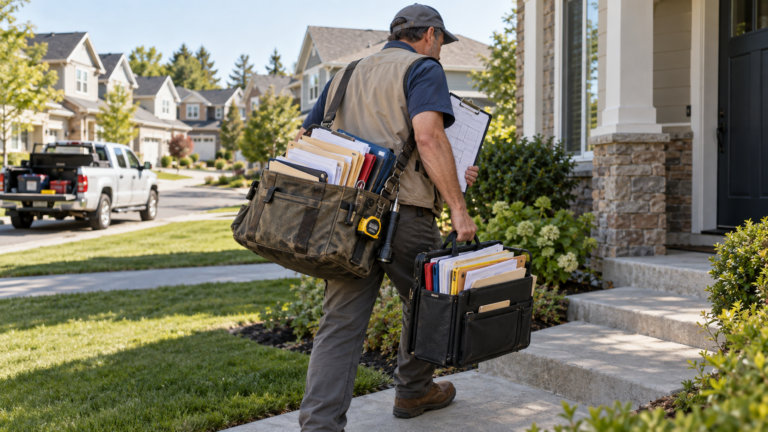
Nunavut Housing Corporation manages roughly 6,000 housing units across the territory. Inspectors used clipboards and paper forms to complete building and condition-rating inspections. Each local authority entered results into a paper spreadsheet, sent them to a regional office and then forwarded the compiled information for database entry. Forms could be lost, handwriting could be misread and data errors sometimes forced inspections to be repeated. The process consumed time and resources while delaying a territory-wide view of housing condition.
THE SOLUTION:
Asset-specific inspections on rugged tablets
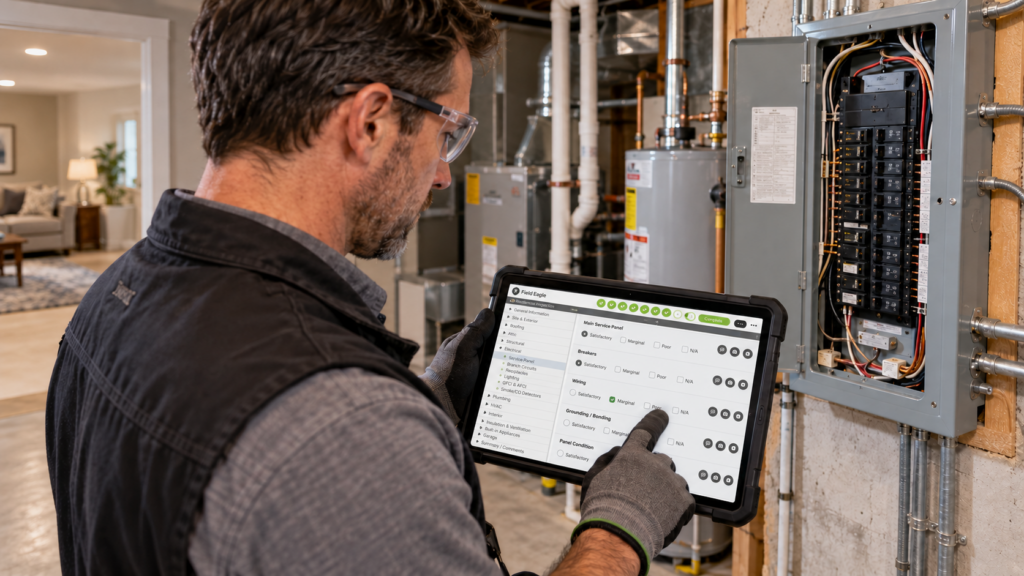
Konverge designed a digital inspection application for rugged tablet PCs. Inspectors scanned a barcode on each housing unit’s electrical panel to retrieve the correct checklist and history. They recorded condition ratings, inventory, notes and photographs directly at the dwelling.
After field work, the tablets synchronized inspection data to a central server. That gave the organization centralized records and instant reporting without asking multiple offices to re-enter the same information.
THE RESULT:
Higher inspection capacity in harsh, remote conditions
With the electronic workflow in place, Nunavut Housing Corporation could inspect about half of its inventory each year, approximately 3,000 inspections. Inspectors used rugged devices capable of operating in harsh winter conditions, including temperatures reported as low as minus 30 degrees.
The organization planned to extend the approach into maintenance and materials inventory so teams could see inspection history, maintenance history and open work orders together for each housing unit.
Nunavut Housing Corporation
“The inspectors also benefit from the tablets’ ruggedness and
ability to withstand the harsh environment,” said Fulgham. “60
percent of the year is winter with temperatures reaching
negative 30 degrees, and the F5v Tablet PCs perform despite
these conditions.”
Inspectors scanned a barcode inside each housing unit to open the correct checklist and history. Condition ratings, notes, inventory details and photographs were captured on the tablet, then synchronized to a central server. This removed several stages of duplicate manual entry between local, regional and central offices.
Why the result matters
A centralized record gave the organization a territory-wide view of asset condition while reducing lost forms, handwriting errors and repeat visits. The same record could later support maintenance planning by bringing inspections, materials, maintenance history and open work orders closer together.
Best fit for this approach
This model applies to public housing agencies, municipalities and property organizations managing large portfolios across remote regions. It is especially useful where connectivity is intermittent, the climate demands rugged equipment and several offices currently handle the same inspection information.
For organizations that need connected business systems, review available Integrations. Teams can also use structured records to support internal standards and external Compliance requirements.
It is a digital system for assigning, completing and reporting condition inspections across a housing portfolio. It can connect each checklist to a specific unit and retain photographs, notes, condition ratings and history in one record.
Yes, if the selected workflow supports field collection and later synchronization. In the Nunavut deployment, inspectors collected data on tablets and uploaded it to the central server after returning to the office.
A barcode helps the inspector open the correct dwelling record and inspection history before recording new findings. Nunavut Housing Corporation placed the barcode on each unit’s electrical panel.
Yes. Condition ratings, photographs and recurring findings can help prioritize maintenance. Nunavut Housing Corporation planned to combine inspection data with maintenance history, materials inventory and open work orders for a more complete asset view.